A calligraphy font generator for your name, bio, and captions
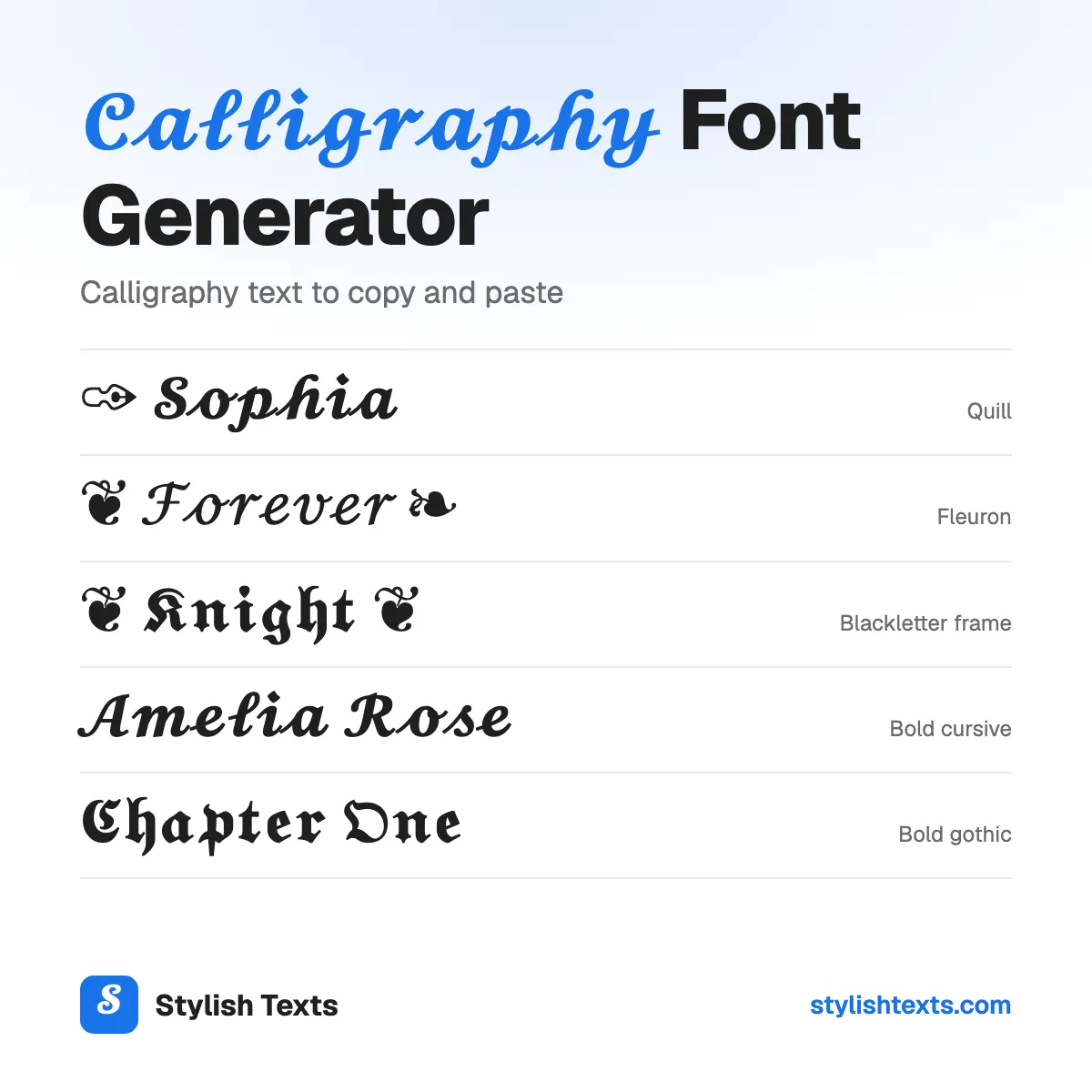
Want your name to look like it was written with a pen nib? Type in the box and you'll see it in 10 calligraphy styles at once: flowing script, old blackletter, slanted italic, and pen flourishes. Tap one and it's copied, ready for your bio, your name, or a caption.
This isn't a font file. Each letter is a Unicode character of its own, so it keeps its look when you paste it, even where the app has no font option.
You'll only find four of these styles here: Quill, Fleuron, Swash line, and Blackletter frame. We're adding new styles all the time, so check back soon.
Good to know
- Script, blackletter, and italic are 3 real calligraphy hands. Each one has a style here.
- These are letters to paste, not a font. They won't change the font in Word, Canva, or at a print shop.
- There are no script or blackletter numbers. The bold styles show bold numbers (𝟐𝟎𝟐𝟔), and the others leave numbers plain.
- A few letters look a little different, because they come from an older set of characters.
How to use the styles
- Step 1

Type your text
Type a word, your name, or a whole line. You'll see it in every style at once.
- Step 2
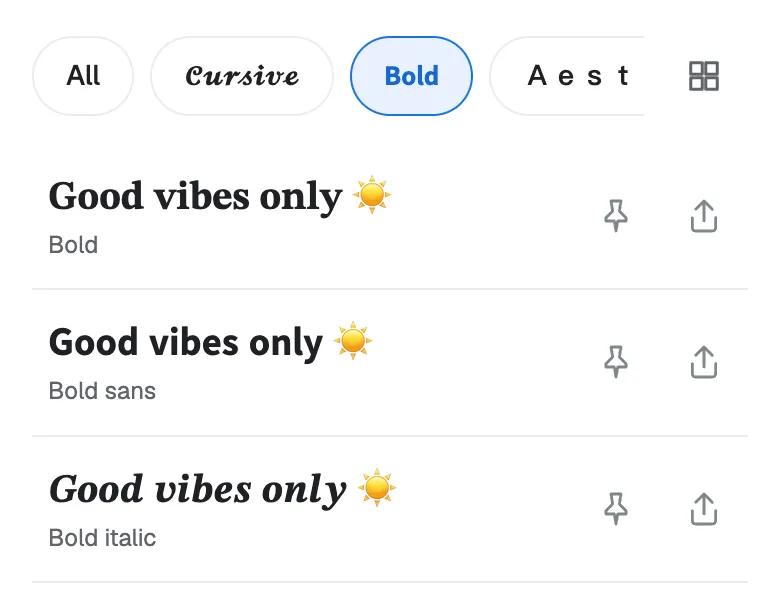
Pick a style
Scroll through the list and find the calligraphy style that fits your name or your words.
- Step 3
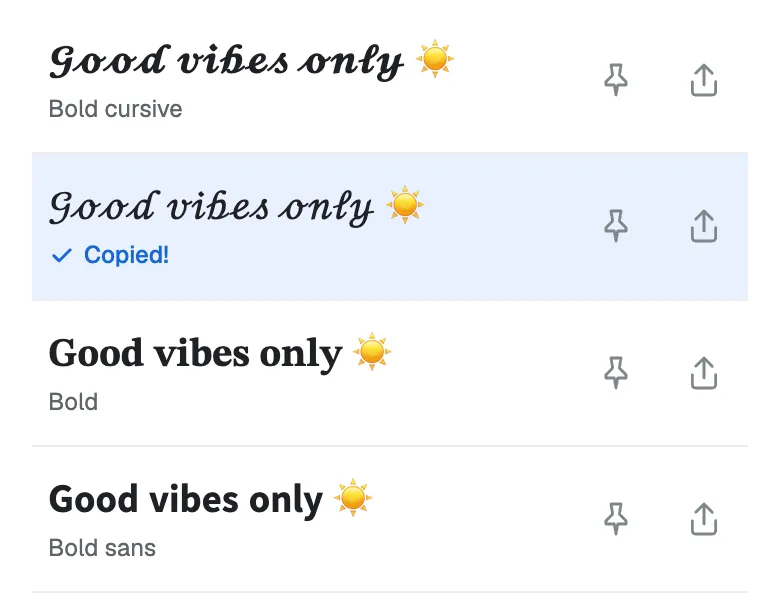
Tap to copy
Tap the one you like and it's copied. Now paste it into your bio, your game name, or a chat.
Found a favorite? Don't forget to tap the pin so it stays at the top. Your pins are saved in this browser.
Which calligraphy style fits your text?
| Style | Sample | Best for |
|---|---|---|
| Pen flourishes | ||
| Quill | ✑ 𝓛𝓲𝓵𝔂 | A name that looks signed with a pen. |
| Fleuron | ❦ ℒ𝒾𝓁𝓎 ❧ | A wedding line, a quote, or a soft bio. |
| Swash line | ﹏ 𝓛𝓲𝓵𝔂 ﹏ | A caption or a title on its own line. |
| Blackletter frame | ❦ 𝕷𝖎𝖑𝖞 ❦ | A gothic name with an old-book look. |
| Script hand | ||
| Cursive | ℒ𝒾𝓁𝓎 | A light, flowing name. |
| Bold cursive | 𝓛𝓲𝓵𝔂 | A name that has to stand out. Every letter matches. |
| Blackletter hand | ||
| Gothic | 𝔏𝔦𝔩𝔶 | A medieval or dark look. |
| Bold gothic | 𝕷𝖎𝖑𝖞 | A bold header or a game tag. |
| Italic hand | ||
| Italic | 𝐿𝑖𝑙𝑦 | A book title or a quote. |
| Bold italic | 𝑳𝒊𝒍𝒚 | A word you want to stress. |
Not sure? Start with Bold cursive. It has every letter, and it's the easiest to read.
Want more looks? Try signature and angel frames in our cursive fonts, dark frames in the gothic fonts, or every style at once in the stylish text generator.
The 3 calligraphy hands
Calligraphers call each way of writing a “hand”. The styles on this page follow 3 of them:
- Script is round and flowing, like the copperplate writing on old letters and wedding cards. Try 𝓛𝓲𝓵𝔂.
- Blackletter is the tall, sharp hand of medieval books in Europe. Try 𝕷𝖎𝖑𝖞.
- Italic is the slanted hand that writers in Renaissance Italy used. Try 𝑳𝒊𝒍𝒚.
The flourish styles add a pen mark or a printer's flower to these letters.
Calligraphy alphabet A to Z
Need just one letter, or the whole alphabet? Tap a letter to copy it, or tap “Copy all” to copy a full row.
Bold cursive
Bold gothic
Calligraphy text or a calligraphy font?
This tool gives you calligraphy text: Unicode letters that you paste like any other text. It works in a bio, a name, a caption, or a message.
It isn't a font. For a printed invitation, a logo, a sign, or a tattoo, you need a font file or a picture, and this page doesn't make them. Japanese and Chinese brush calligraphy is a picture too, so you can't copy it as letters.
Why do some letters look different?
The calligraphy letters come from a set of characters made for math. A few of them were added earlier, in a different set, so they can sit higher or look a different size:
- Cursive: ℬ ℰ ℱ ℋ ℐ ℒ ℳ ℛ and ℯ ℊ ℴ.
- Gothic: ℭ ℌ ℑ ℜ ℨ.
- Italic: the small h is ℎ.
- Numbers: Unicode has no calligraphy numbers. Quill, Swash line, Blackletter frame, and the bold styles use bold numbers (𝟎 to 𝟗). The other styles leave numbers plain.
Want every letter to match? Use Bold cursive or Bold gothic. They have no gaps.
Calligraphy text ideas to try
Need a starting point? Here are some ideas for names, weddings, quotes, and titles. Each one shows its style. Tap “Try it” to see that style with your own text.
- ✑ 𝓢𝓸𝓹𝓱𝓲𝓪Quill
- ❦ ℋ𝒶𝓅𝓅𝒾𝓁𝓎 ℯ𝓋ℯ𝓇 𝒶𝒻𝓉ℯ𝓇 ❧Fleuron
- ﹏ 𝓢𝓽𝓪𝔂 𝓰𝓸𝓵𝓭𝓮𝓷 ﹏Swash line
- ❦ 𝕶𝖓𝖎𝖌𝖍𝖙 ❦Blackletter frame
- 𝓜𝓻 & 𝓜𝓻𝓼Bold cursive
- 𝑪𝒉𝒂𝒑𝒕𝒆𝒓 𝑶𝒏𝒆Bold italic
Tips for calligraphy text
- Use your display name, not your @username. Most apps only take plain letters in a username.
- Keep it short. Calligraphy looks best on a name or a short line.
- Mix it with plain text. 𝓢𝓸𝓹𝓱𝓲𝓪 | travel and books is easier to read than a whole line in calligraphy.
- Check after you save. Some apps turn special letters back into plain ones.
- Think of screen readers. They can't read these letters well, so keep important words plain.
More fonts to try
Stylish text generator
All 39 styles in one list: cursive, bold, cute, gamer, and glitch.
Christmas fonts
Festive styles with trees, snowflakes, and bells for your holiday messages.
Cool fonts
Wing frames, gothic letters, and other bold looks for names and game tags.
Calligraphy font FAQ
Is this a calligraphy font?
No. Each letter is a Unicode character of its own, like 𝓐 or 𝔅. That's why it keeps its look when you paste it into an app with no font option.
Can I use it in Word, Canva, or Cricut?
You can paste it, and it'll keep its look on most screens. But it isn't a font, so it won't print like one or work as a font choice. For print, install a real calligraphy font.
Does calligraphy text work on Instagram, TikTok, and Discord?
It should show in your name, your bio, your posts, and your Discord messages. Your @username only takes plain letters, so calligraphy won't go there. Check after you save.
Why do I see boxes instead of letters?
Your device doesn't have a picture for that character yet. It happens more on older phones. Try Bold cursive, or update your device.
Can I make Japanese calligraphy here?
No. Japanese brush calligraphy is a picture, not letters you can copy. This page makes Latin letters (A to Z) only.
Is it safe to copy and paste?
Yes. It's plain text, like any other letters you type. There's nothing to download and nothing to install, and we don't save what you type.
Is the calligraphy font generator free?
Yes. There's no app to install and no sign-up. Stylish Texts is free for everyone, supported by ads.
Last updated: