A bold text generator for posts, bios, and comments
LinkedIn posts, Instagram captions, and most Facebook posts don't have a bold button. Type in the box and you'll see your words in 9 bold styles at once. Tap one and it's copied, ready to paste into a post, a headline, or a bio.
Each letter is a bold Unicode character of its own, so it keeps its bold look in most apps. There's nothing to install and no sign-up.
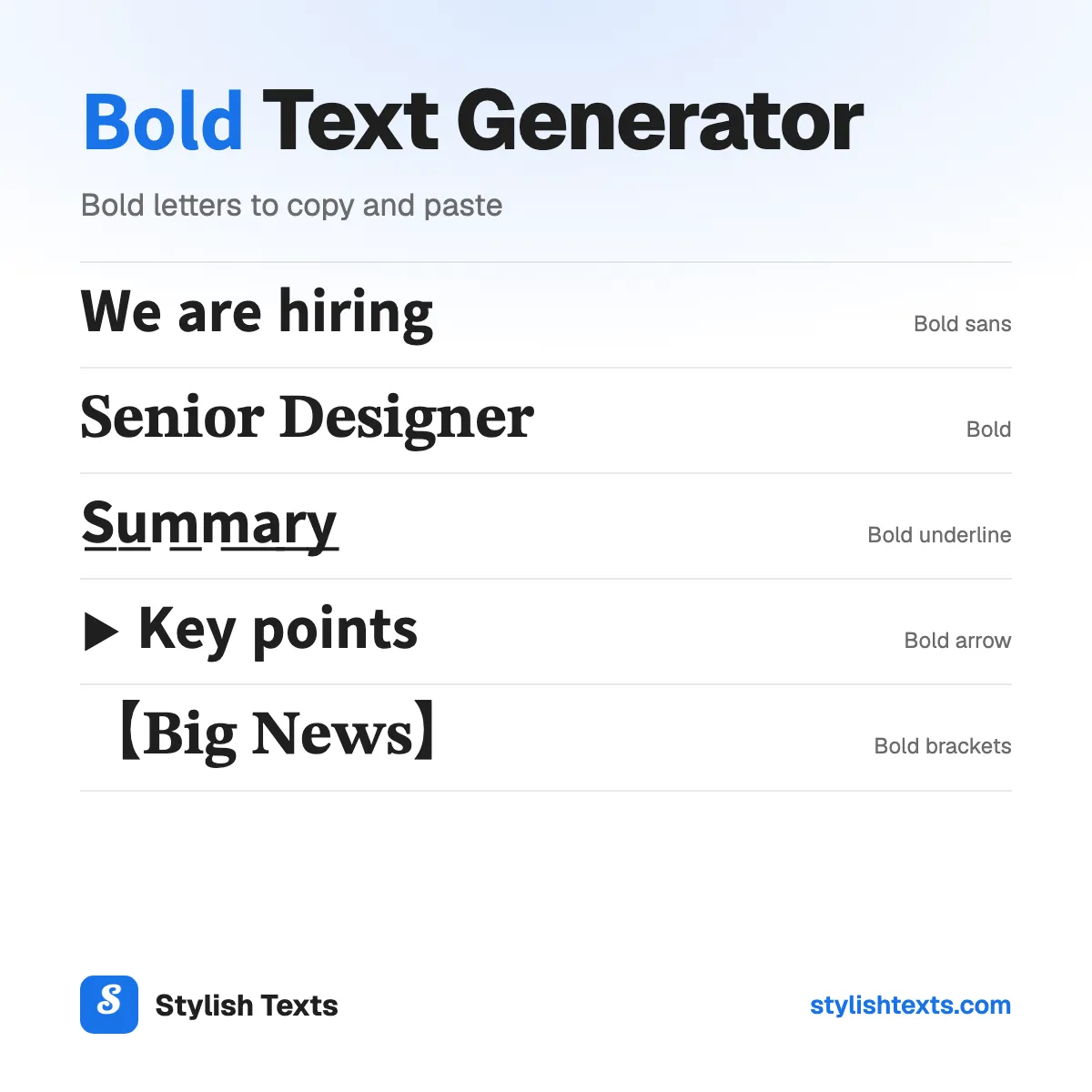
You'll only find four of these styles here: Bold underline, Bold arrow, Bold brackets, and Spaced bold. We're adding new styles all the time, so check back soon.
Good to know
- Bold sans is the cleanest look for LinkedIn and Facebook posts.
- Numbers turn bold too (𝟮𝟬𝟮𝟲). Punctuation and letters with accents (é, ñ) stay plain.
- Screen readers and search can't read bold letters well, so bold one line, not the whole post.
- Don't bold a hashtag, an @mention, or a link. It can stop working.
How to use the styles
- Step 1

Type your text
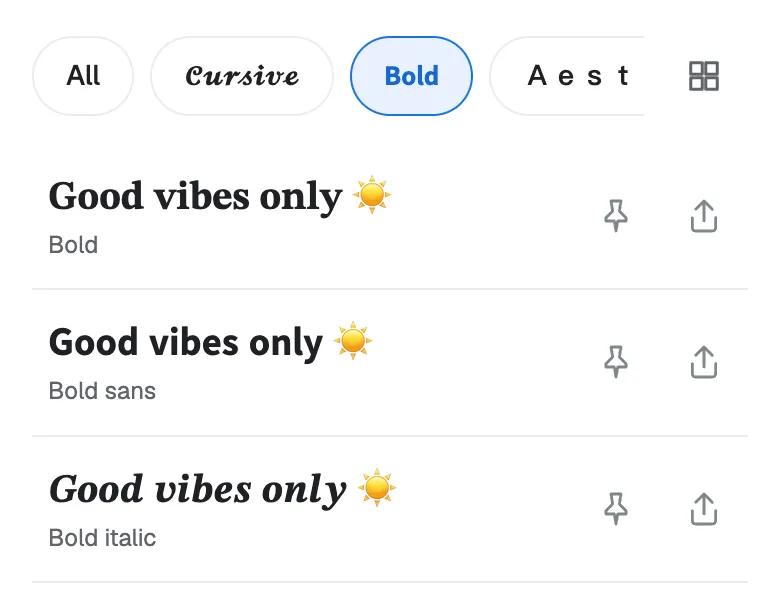
Type a word, your name, or a whole line. You'll see it in every style at once.
- Step 2
Pick a style
Scroll through the list and find the bold style that fits your post or your bio.
- Step 3
Tap to copy
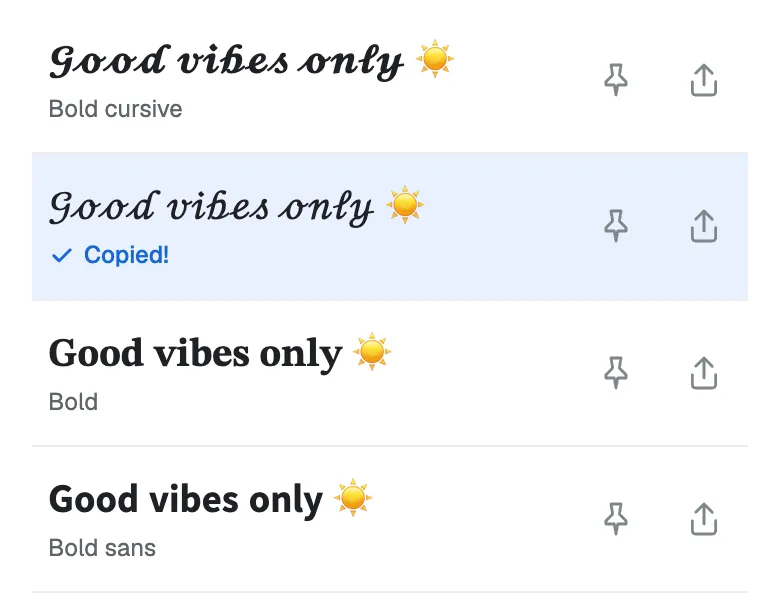
Tap the one you like and it's copied. Now paste it into your bio, your game name, or a chat.
Found a favorite? Don't forget to tap the pin so it stays at the top. Your pins are saved in this browser.
Which bold style fits your text?
| Style | Sample | Best for |
|---|---|---|
| Bold sans | 𝗕𝗼𝗹𝗱 | The first line of a post. Clean and easy to read. |
| Bold | 𝐁𝐨𝐥𝐝 | A job title, a headline, or a name. |
| Bold underline | 𝗕̲𝗼̲𝗹̲𝗱̲ | A heading in a long post. |
| Bold arrow | ▸ 𝗕𝗼𝗹𝗱 | A list line, one point at a time. |
| Bold brackets | 【𝐁𝐨𝐥𝐝】 | A title or a tag at the top of a post. |
| Spaced bold | 𝗕 𝗼 𝗹 𝗱 | A short heading or a name with room to breathe. |
| Bold italic | 𝑩𝒐𝒍𝒅 | A quote or a word you want to stress. |
| Bold sans italic | 𝘽𝙤𝙡𝙙 | A sporty, fast look. |
| Bold gothic | 𝕭𝖔𝖑𝖉 | A gamer tag or a dark, old-book look. |
Not sure? Start with Bold sans. It's the easiest to read on a phone.
Want more looks? Try bold blackletter frames in our gothic fonts, bold script in the cursive fonts, or every style at once in the stylish text generator.
Bold text for LinkedIn and Facebook posts
- Type the line you want in bold.
- Tap a style to copy it.
- Paste it into your post, and type the rest in plain text.
Bold works best on the first line, the part people see before “…see more”. Use it to stop the scroll, then let the plain text do the talking. For a list, start each point with Bold arrow:
𝗜 𝗾𝘂𝗶𝘁 𝗺𝘆 𝗷𝗼𝗯 𝘁𝗼 𝘀𝘁𝗮𝗿𝘁 𝗮 𝗯𝗮𝗸𝗲𝗿𝘆.
Here's what the first year taught me:
▸ 𝗣𝗿𝗶𝗰𝗲 𝗳𝗼𝗿 𝘆𝗼𝘂𝗿 𝘁𝗶𝗺𝗲. Flour is cheap. Hours aren't.
▸ 𝗦𝗮𝘆 𝗻𝗼 𝗲𝗮𝗿𝗹𝘆. Not every order is a good order.
Serif or sans: which bold to pick?
Bold comes in two main shapes:
- Serif bold (𝐁𝐨𝐥𝐝) has small feet on each letter, like a book or a newspaper headline. It feels classic and formal.
- Sans bold (𝗕𝗼𝗹𝗱) has no feet. It looks clean and modern, like the text in an app.
Both have every letter and every number. On a small screen, sans bold is a little easier to read.
Bold alphabet and numbers
Need just one letter or number? Tap it to copy it, or tap “Copy all” to copy a full row.
Bold sans
Bold
What bold text can break
Bold letters look like normal letters, but to your phone they're different characters. That's why they paste anywhere, and it's also why a few things can go wrong:
- Screen readers can read each letter by its name, or skip the word. People who listen to posts may miss your bold line.
- Search inside the app may not find bold words. Keep names and key words plain.
- Hashtags, @mentions, and links can stop working in bold. Type them in plain text.
- Usernames only take plain letters. Bold works in your display name and your bio, not your @handle.
The safe way: bold one short line, and keep the rest of the post plain.
Bold text ideas to try
Need a starting point? Here are some ideas for posts, profiles, and headings. Each one shows its style. Tap “Try it” to see that style with your own text.
- 𝗪𝗲 𝗮𝗿𝗲 𝗵𝗶𝗿𝗶𝗻𝗴Bold sans
- 𝐒𝐞𝐧𝐢𝐨𝐫 𝐃𝐞𝐬𝐢𝐠𝐧𝐞𝐫Bold
- ▸ 𝗞𝗲𝘆 𝗽𝗼𝗶𝗻𝘁𝘀Bold arrow
- 【𝐁𝐢𝐠 𝐍𝐞𝐰𝐬】Bold brackets
- 𝗦̲𝘂̲𝗺̲𝗺̲𝗮̲𝗿̲𝘆̲Bold underline
- 𝗠 𝗔 𝗬 𝗔Spaced bold
More fonts to try
Stylish text generator
All 39 styles in one list: cursive, bold, cute, gamer, and glitch.
Christmas fonts
Festive styles with trees, snowflakes, and bells for your holiday messages.
Cool fonts
Wing frames, gothic letters, and other bold looks for names and game tags.
Bold text FAQ
Is this a bold font?
No. Each letter is a Unicode character of its own, like 𝗔 or 𝐁. That's why it stays bold when you paste it into an app with no bold button.
Does bold text work on LinkedIn, Facebook, Instagram, and X?
It should show in your posts, comments, your name, and your bio. Your @username only takes plain letters, so bold won’t go there. Check your post after you share it.
Why do I see boxes instead of letters?
Your device doesn't have a picture for that character yet. It happens more on older phones. Try Bold sans, or update your device.
Why didn’t my é or ñ turn bold?
Unicode has bold letters for A to Z and numbers only. Letters with accents, punctuation, and emoji stay as they are.
Can I make Japanese, Korean, or Arabic text bold here?
No. Unicode has no bold set for these scripts, so this page works with A to Z and 0 to 9 only.
Is it safe to copy and paste?
Yes. It's plain text, like any other letters you type. There's nothing to download and nothing to install, and we don't save what you type.
Is the bold text generator free?
Yes. There's no app to install and no sign-up. Stylish Texts is free for everyone, supported by ads.
Last updated: