An italic text generator for posts, bios, and captions
Want to stress one word, name a book, or set a quote apart? Instagram captions, LinkedIn posts, and most Facebook posts don't have an italic button. Type in the box and you'll see your words in 8 italic styles at once. Tap one and it's copied, ready to paste into a post, a caption, or a bio.
Each letter is a slanted Unicode character of its own, so it keeps its slant in most apps. There's nothing to install and no sign-up.
You'll only find four of these styles here: Italic quote, Italic underline, Italic byline, and Spaced italic. We're adding new styles all the time, so check back soon.
Good to know
- Italic is for a few words: a word you stress, a title, a quote. A whole post in italic is hard to read.
- Numbers stay upright, because there are no italic numbers. Punctuation and letters with accents (é, ñ) stay plain too.
- WhatsApp and Discord have real italics, so you don't need special letters there.
- Don't put a hashtag, an @mention, or a link in italic. It can stop working.
How to use the styles
- Step 1

Type your text
Type a word, your name, or a whole line. You'll see it in every style at once.
- Step 2
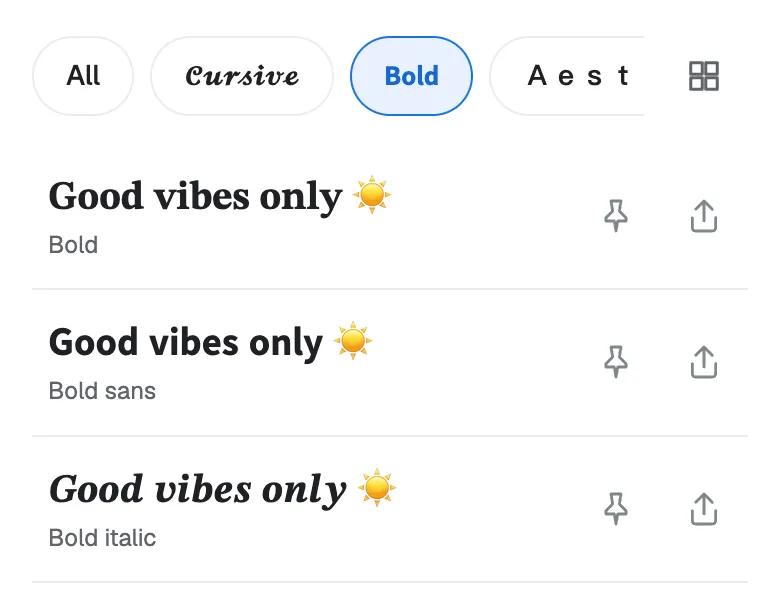
Pick a style
Scroll through the list and find the italic style that fits your post or your bio.
- Step 3
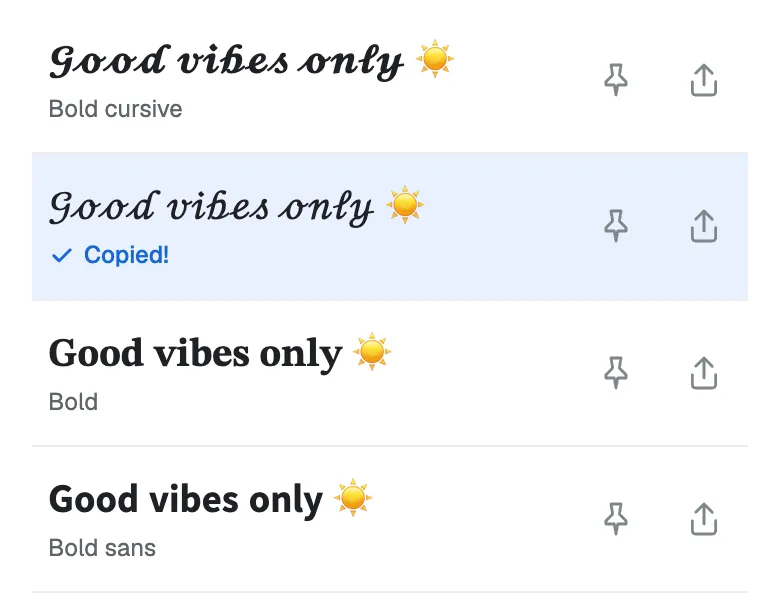
Tap to copy
Tap the one you like and it's copied. Now paste it into your bio, your game name, or a chat.
Found a favorite? Don't forget to tap the pin so it stays at the top. Your pins are saved in this browser.
Which italic style fits your text?
| Style | Sample | Best for |
|---|---|---|
| Italic | 𝐼𝑡𝑎𝑙𝑖𝑐 | A word you want to stress, or a book title. |
| Sans italic | 𝘐𝘵𝘢𝘭𝘪𝘤 | A caption or a bio line. Clean and easy to read. |
| Italic quote | “𝐼𝑡𝑎𝑙𝑖𝑐” | A quote in a post or a bio. |
| Italic underline | 𝘐̲𝘵̲𝘢̲𝘭̲𝘪̲𝘤̲ | A book, film, or song title. |
| Italic byline | — 𝘐𝘵𝘢𝘭𝘪𝘤 | The name under a quote. |
| Spaced italic | 𝘐 𝘵 𝘢 𝘭 𝘪 𝘤 | A short heading with room to breathe. |
| Bold italic | 𝑰𝒕𝒂𝒍𝒊𝒄 | One strong word in a bio. |
| Bold sans italic | 𝙄𝙩𝙖𝙡𝙞𝙘 | A sporty, fast look. |
Not sure? Start with Sans italic. It's the easiest to read on a phone.
Want more looks? Try plain bold in our bold text generator, or every style at once in the stylish text generator.
What italics are for
In books and magazines, italics do three jobs. They work the same way in a post or a bio:
- Stress a word. I 𝘳𝘦𝘢𝘭𝘭𝘺 mean it.
- Name a title. We're reading 𝘗𝘳𝘪𝘥𝘦 𝘢𝘯𝘥 𝘗𝘳𝘦𝘫𝘶𝘥𝘪𝘤𝘦 this month.
- Set a quote apart. “𝑆𝑡𝑎𝑦 𝑐𝑢𝑟𝑖𝑜𝑢𝑠.” — 𝘎𝘳𝘢𝘯𝘥𝘮𝘢
Here's how that looks in a post. Most of it stays plain, so the italic parts stand out:
Book club picked 𝘛𝘩𝘦 𝘚𝘦𝘤𝘳𝘦𝘵 𝘎𝘢𝘳𝘥𝘦𝘯 for June.
I did 𝘯𝘰𝘵 expect to cry on the train.
“𝑊ℎ𝑒𝑟𝑒 𝑦𝑜𝑢 𝑡𝑒𝑛𝑑 𝑎 𝑟𝑜𝑠𝑒, 𝑎 𝑡ℎ𝑖𝑠𝑡𝑙𝑒 𝑐𝑎𝑛𝑛𝑜𝑡 𝑔𝑟𝑜𝑤.”
— 𝘍𝘳𝘢𝘯𝘤𝘦𝘴 𝘏𝘰𝘥𝘨𝘴𝘰𝘯 𝘉𝘶𝘳𝘯𝘦𝘵𝘵
Bold italic text
Need a word to stand out even more? Bold italic is bold and slanted at the same time. It comes in two shapes:
- Bold italic (𝑩𝒐𝒍𝒅) has small feet on each letter, like a book.
- Bold sans italic (𝘽𝙤𝙡𝙙) has no feet. It looks clean and sporty.
Both have bold numbers too (𝟐𝟎𝟐𝟔). Use bold italic for one word or one short line in a bio. For bold with no slant, see the bold text generator.
How to make text italic on LinkedIn
A LinkedIn post has no italic button. Here's the way around it:
- Type the words you want in italic.
- Tap a style to copy it.
- Paste it into your post, and type the rest in plain text.
LinkedIn articles and newsletters have an italic button of their own, so use that one there.
Apps with real italics
Some apps can make italics on their own. There, the real thing is the better choice: screen readers and search can read it.
- WhatsApp: put an underscore on each side, like
_this_. - Discord: put one star or one underscore on each side, like
*this*or_this_.
Use the styles on this page where there's no italic option: a name, a bio, a caption, or a post.
Italic or cursive: what's the difference?
People often mix up the two. Italic letters lean to the right and stay apart (𝐼𝑡𝑎𝑙𝑖𝑐). Cursive letters look joined, like handwriting (𝓒𝓾𝓻𝓼𝓲𝓿𝓮).
Looking for the handwriting look? Try the cursive text generator. For pen flourishes, see the calligraphy fonts.
Italic alphabet
Need just one letter? Tap it to copy it, or tap “Copy all” to copy a full row.
Italic
Sans italic
The small h in Italic (ℎ) can look a little different from its neighbors. It's an older character than the rest of the set. If it bothers you, use Sans italic.
What italic text can break
Italic letters look like normal letters, but to your phone they're different characters. That's why they keep their slant when you paste them, and it's also why a few things can go wrong:
- Screen readers can read each letter by its name, or skip the word. People who listen to posts may miss your italic words.
- Search inside the app may not find italic words. Keep names and key words plain.
- Hashtags, @mentions, and links can stop working in italic. Type them in plain text.
- Usernames only take plain letters. Italic works in your display name and your bio, not your @handle.
The safe way: put a few words in italic, and keep the rest plain.
Italic text ideas to try
Need a starting point? Here are some ideas for posts, captions, and bios. Each one shows its style. Tap “Try it” to see that style with your own text.
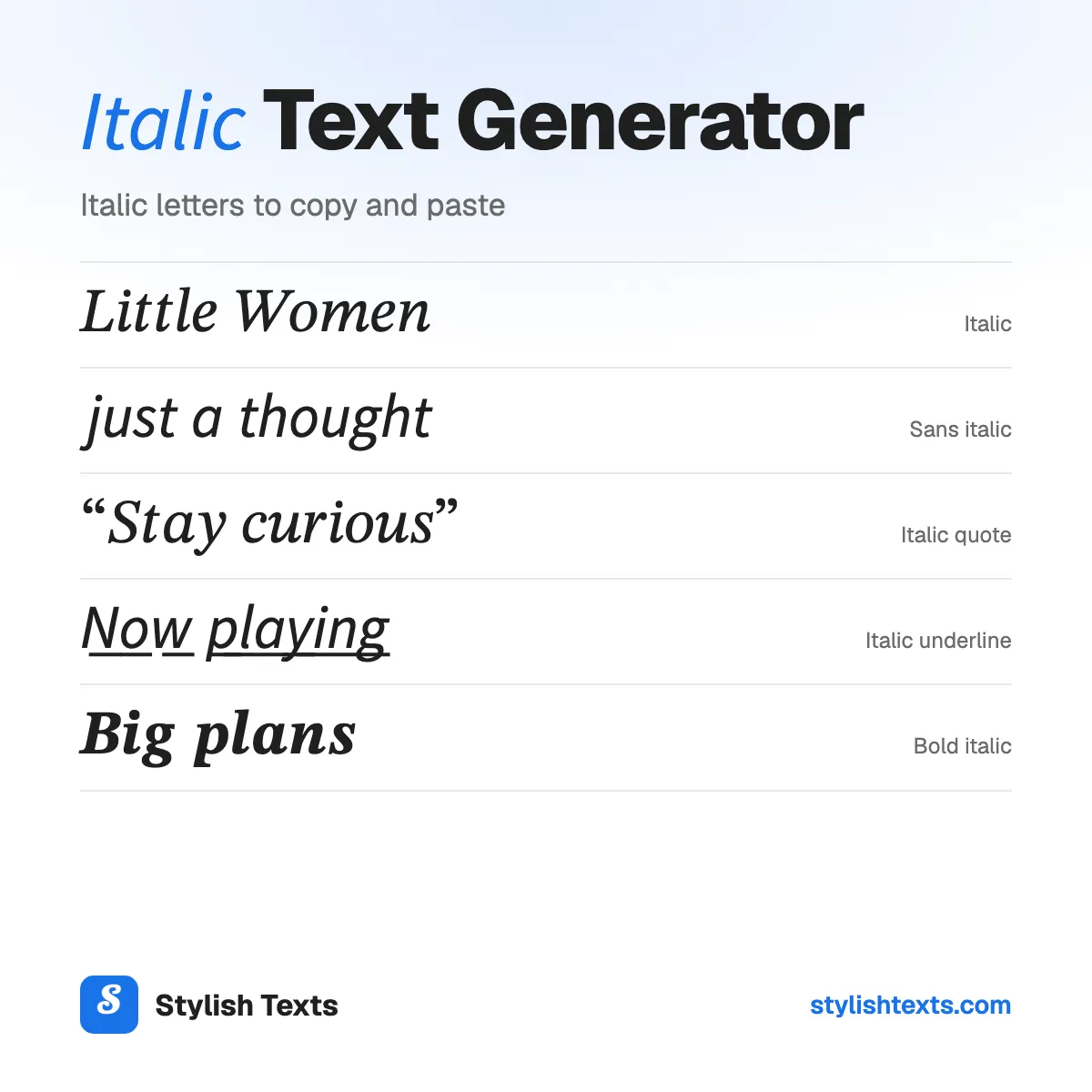
- 𝐿𝑖𝑡𝑡𝑙𝑒 𝑊𝑜𝑚𝑒𝑛Italic
- 𝘫𝘶𝘴𝘵 𝘢 𝘵𝘩𝘰𝘶𝘨𝘩𝘵Sans italic
- “𝑆𝑡𝑎𝑦 𝑐𝑢𝑟𝑖𝑜𝑢𝑠”Italic quote
- — 𝘔𝘢𝘺𝘢 𝘈𝘯𝘨𝘦𝘭𝘰𝘶Italic byline
- 𝘕̲𝘰̲𝘸̲ 𝘱̲𝘭̲𝘢̲𝘺̲𝘪̲𝘯̲𝘨̲Italic underline
- 𝘯 𝘰 𝘵 𝘦 𝘴Spaced italic
More fonts to try
Stylish text generator
All 39 styles in one list: cursive, bold, cute, gamer, and glitch.
Christmas fonts
Festive styles with trees, snowflakes, and bells for your holiday messages.
Cool fonts
Wing frames, gothic letters, and other bold looks for names and game tags.
Italic text FAQ
Is this an italic font?
No. Each letter is a Unicode character of its own, like 𝘈 or 𝐵. That's why it stays slanted when you paste it into an app with no italic button.
Why aren’t my numbers italic?
There are no italic numbers to copy. In Italic and Sans italic, numbers stay as you typed them. Bold italic and Bold sans italic show bold numbers.
Why does the h look different?
The small italic h (ℎ) is an older character than the other letters, so some phones draw it in a slightly different shape. Sans italic doesn't have this.
Does italic text work on Instagram, LinkedIn, Facebook, and X?
It should show in your posts, comments, your name, and your bio. Your @username only takes plain letters, so italic won’t go there. Check your post after you share it.
Why do I see boxes instead of letters?
Your device doesn't have a picture for that character yet. It happens more on older phones. Try Sans italic, or update your device.
Is there an Arial italic to copy and paste?
Not the real Arial font, because you can't copy a font. Sans italic is the closest look: clean letters with no feet.
Is it safe to copy and paste?
Yes. It's plain text, like any other letters you type. There's nothing to download and nothing to install, and we don't save what you type.
Is the italic text generator free?
Yes. There's no app to install and no sign-up. Stylish Texts is free for everyone, supported by ads.
Last updated: